Finance: invoices and payments
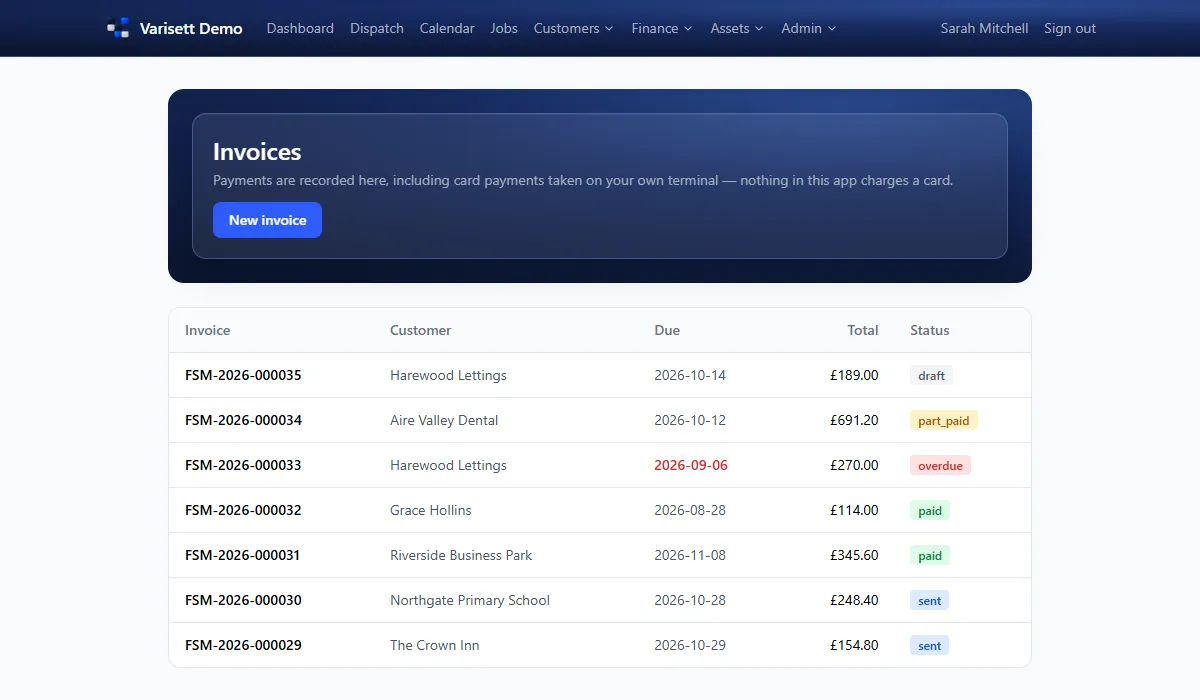
- Customers → Invoices: make one from a finished job or an accepted quote, or start a new one.
- Using more than one Varisett platform? Directors and finance see what's owed on each of them at the top of this page, with a download of every invoice as one spreadsheet; and a customer's page shows their statement across every platform they buy from.
- Issue it, then record payments as they come in (card on your own machine, transfer, cash, cheque).
- Status shows draft, sent, part paid, paid or overdue.
- Reminders (coming up, due, overdue) are drafted with the wording ready; send them from your own email.
Finance: timesheets
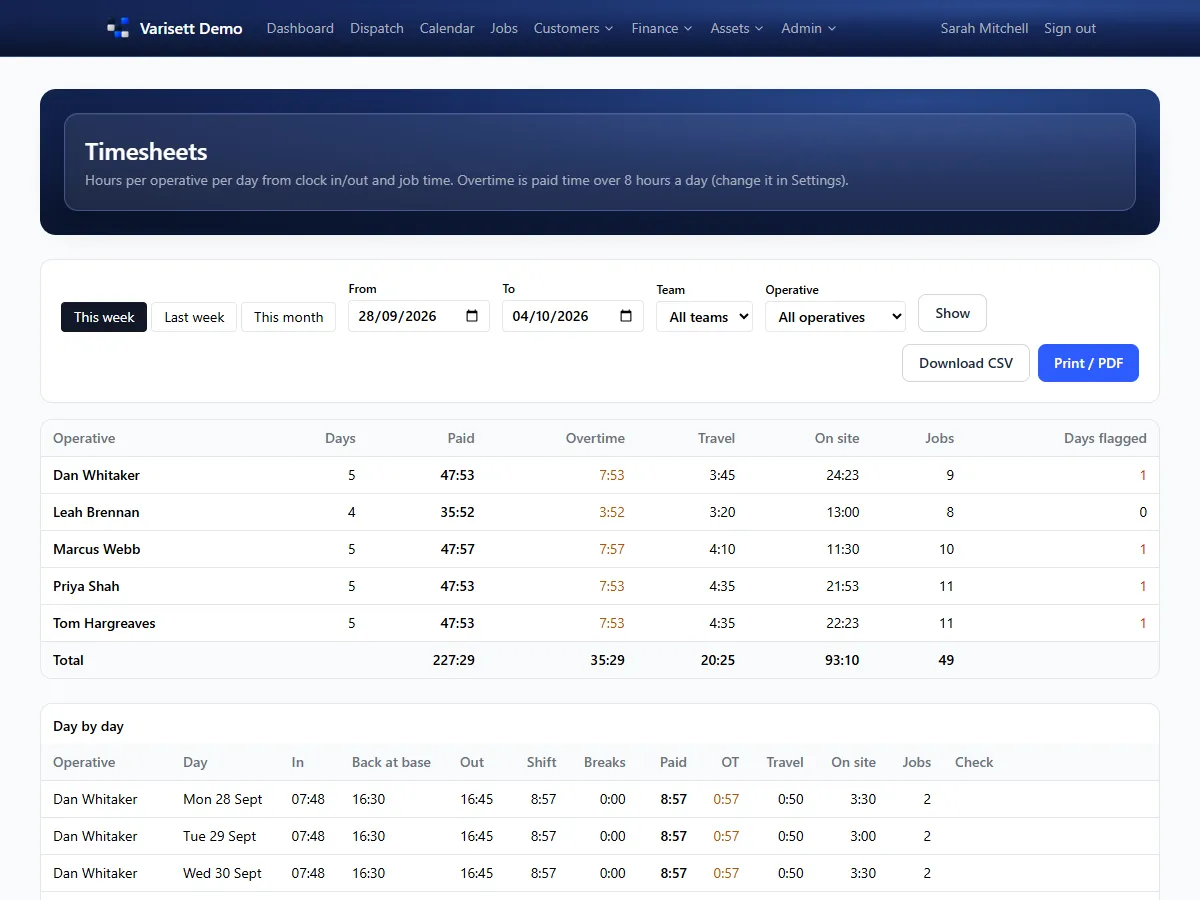
Resources → Timesheets: hours per engineer per day from clock in and out and job time, with overtime past the standard day, travel and time on site. Download as CSV for your payroll, or print.
Fleet manager
- Resources → Fleet: add vans with their driver, MOT, insurance and tax dates and service interval. Anything within 30 days is highlighted; past dates go red.
- Defects reported on an engineer's van check show here until you clear them.
- Keep a service log for each van.
- Resources → Assets: customers' equipment with serial numbers, warranty and next service dates, and its service history from jobs.
Compliance officer
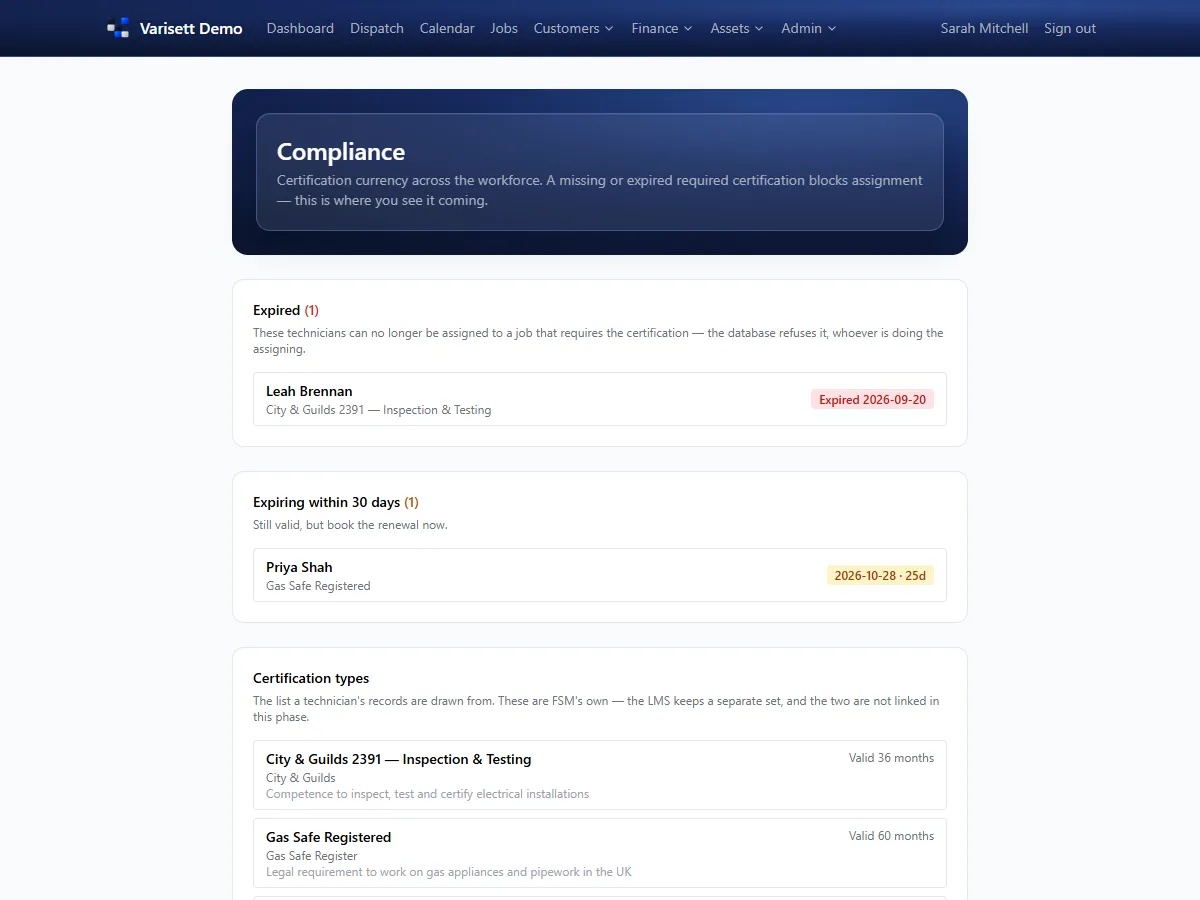
- Resources → Compliance: expired certifications and those expiring in the next 30 days.
- Record each engineer's certifications on their page, with reference, issue and expiry dates.
- Keep the list of certification types up to date. With the LMS too, link a type to the matching LMS certificate so it counts here without typing it twice.
Screens show the real Varisett FSM with made-up example data. Your own system carries your name, logo and colour.