Sign in
Use the email and password you were sent, or your Operative ID and PIN at yourbusiness.varisett.com/operative. Five wrong PINs lock the ID for 15 minutes.
Start the day
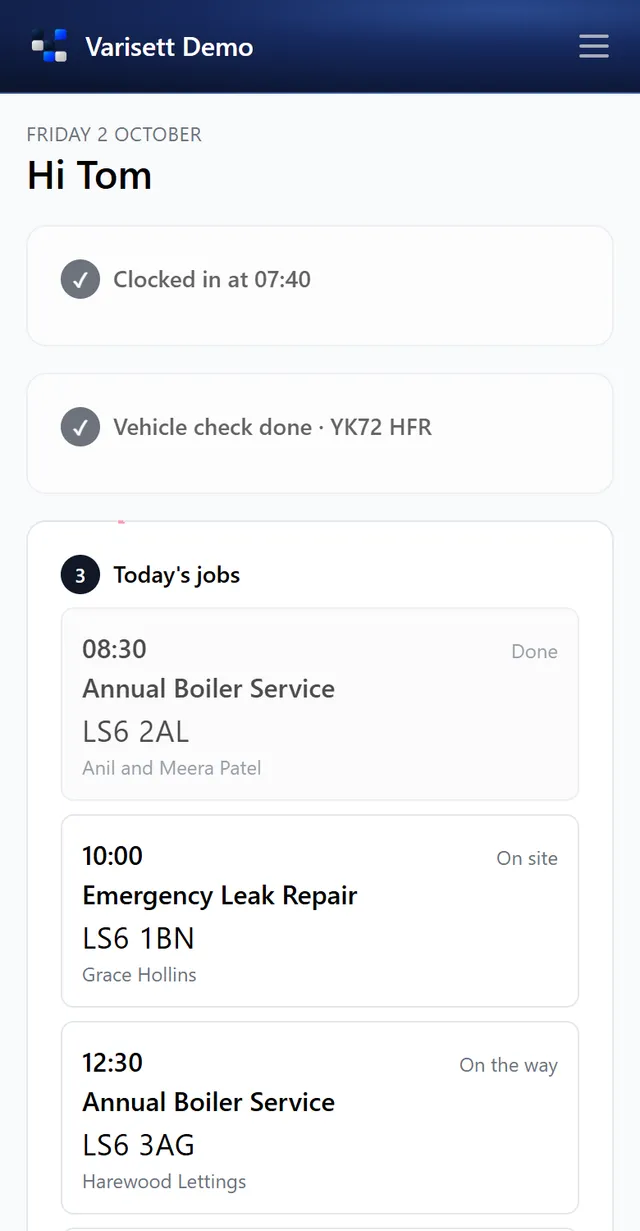
- Today → Clock in.
- Do the van check: tyres, lights, mirrors and wipers, fluids, brakes, warning lights, bodywork, load and safety kit. Mark anything wrong with a note; it's flagged in Fleet straight away.
- Your jobs then appear, in order.
Your route
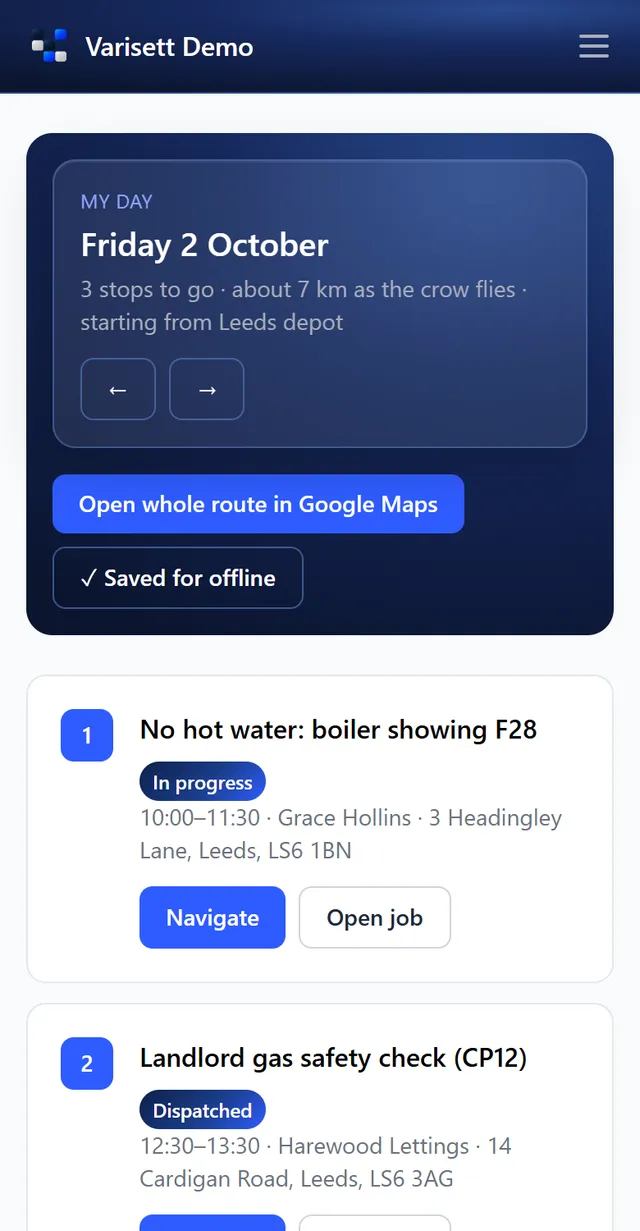
My day lists your stops in order with the distance, a Navigate button for each, and the whole route in Google Maps. Tap "Save for offline" before you set off and it works with no signal; anything you record offline is sent when you're back in signal, with the times you tapped.
At each job
- On my way: gives the customer an arrival time on their portal.
- Arrived on site: starts your time on site.
- Add notes (choose whether the customer can see them) and photos.
- Quote on site if needed, and take the customer's acceptance.
- Get the customer's signature to sign the job off, then complete it.
- If the customer pays on completion, record the payment (card on your own machine, cash or transfer).
Helping another team
If your team assists another, their jobs for today appear under Helping on Today, with each one's latest status; Hide their jobs tucks them away. Your crew's driver or lead can tap Pick this job up on any job nobody has started: it moves to them, appears in their own list, and the other team sees who picked it up and how it's going.
End the day
Back on Today: Returned to base, then Clock off. Your hours, travel and time on site go into the timesheets.
Screens show the real Varisett FSM with made-up example data. Your own system carries your name, logo and colour.