It's easier to judge field service software by following one job than by reading a feature list. Here's a boiler fault at a rented flat, from the tenant's call to the paid invoice, in Varisett FSM. (The names are made up; the screens are the real product.)
8:40, the office takes the call
The dispatcher opens Jobs, chooses the landlord's account and the flat's address, picks the job type "Emergency leak repair" and marks it urgent. That job type needs a Gas Safe engineer, so only engineers with a current certificate will be offered.
8:45, dispatch
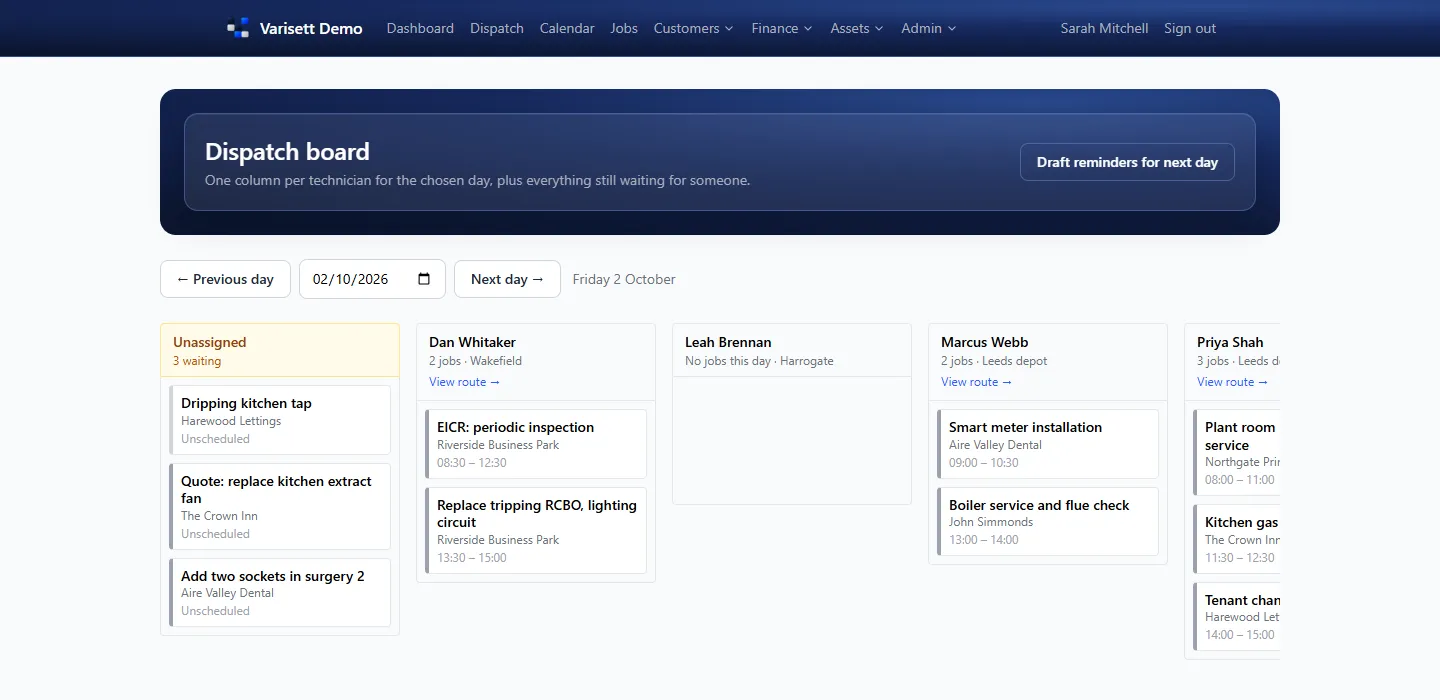
On the dispatch board, the job sits in the Unassigned column. Clicking it ranks the engineers who could go, by skills, availability, the day's bookings and distance from base. The dispatcher drags it onto Tom's column for 10:00. Had Tom's Gas Safe expired, the system would have refused.
7:40 that morning, Tom started his day
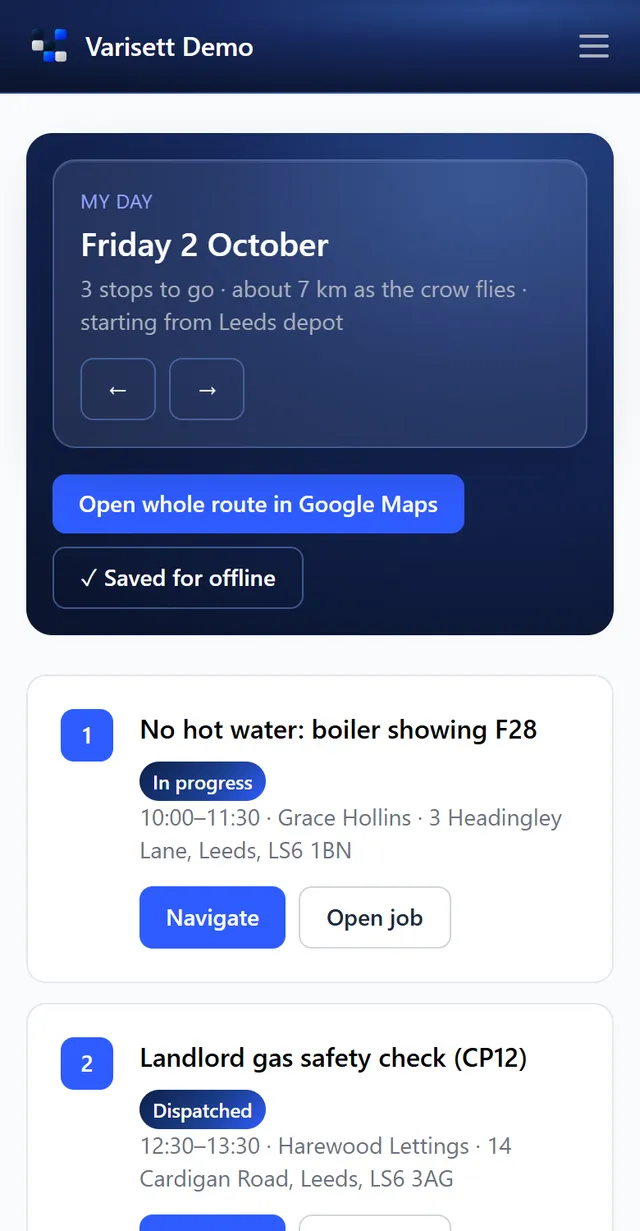
Tom clocked in on his phone, did the van check, and saved the day for offline. His jobs are listed in route order, and now the new one appears in its slot.
9:35, on the way
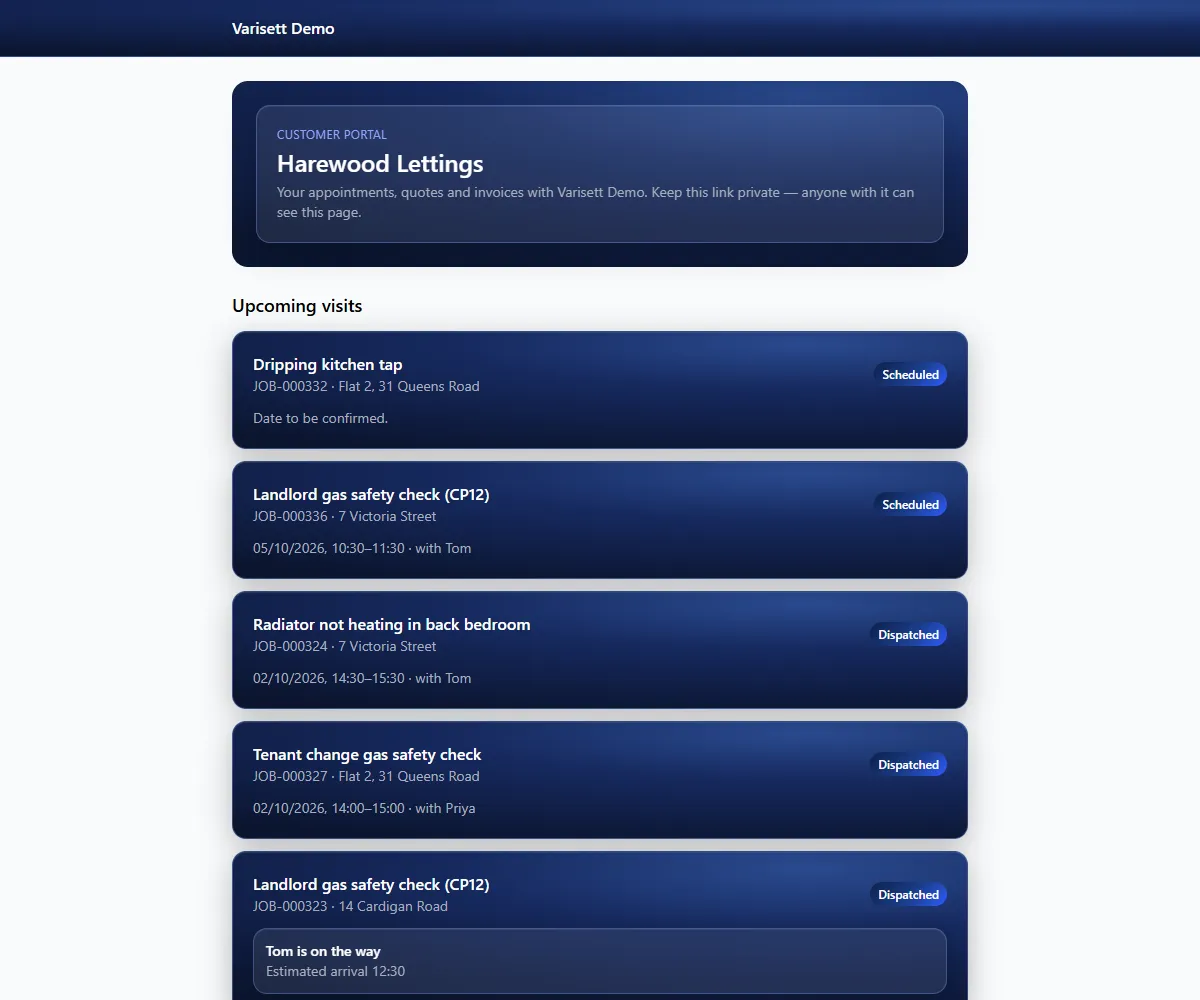
Tom taps "On my way" and gives an arrival time. The landlord's portal link now shows he's coming, and refreshes itself while he travels. A message with the link is drafted in the office for someone to send.
10:00 to 11:30, on site
"Arrived on site" starts the clock. The fault is a failed PCB, so Tom builds a quote from the price list on his phone, and the landlord accepts it from their portal. Notes, photos and the tenant's signature go on the job. There's no signal in the cupboard; it doesn't matter, and it all syncs when he's back outside.
Afterwards, the report and the invoice
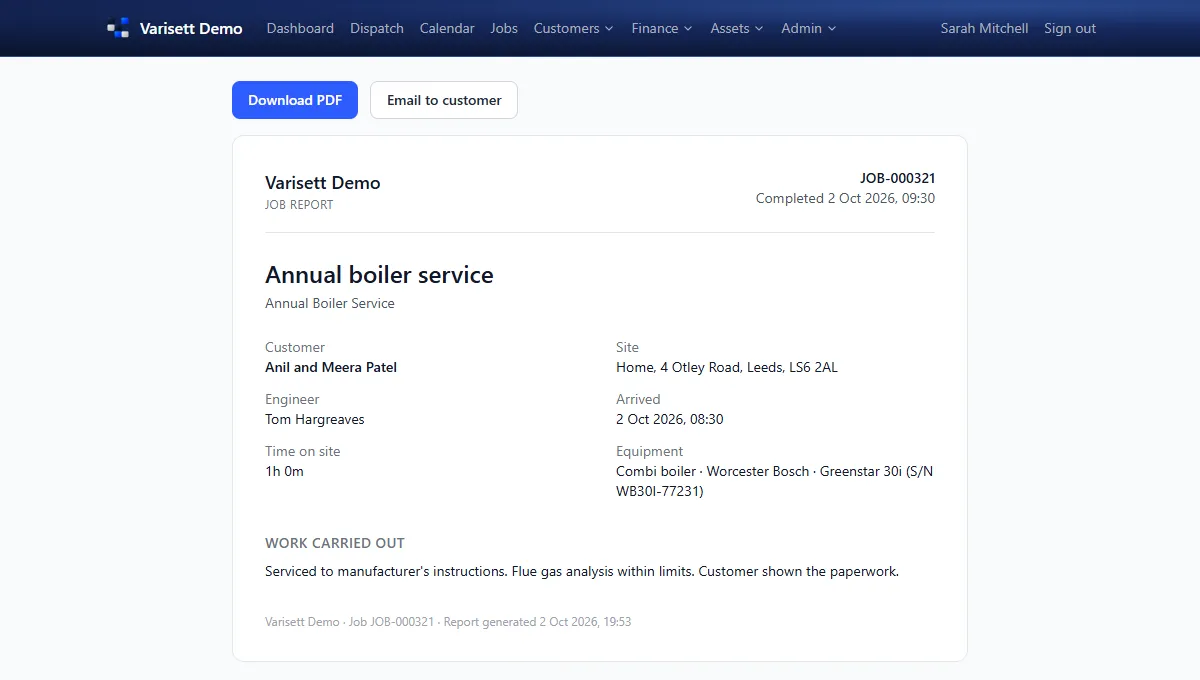
The job report, with time on site, notes and the signature, is on the landlord's portal and can be emailed as a PDF. The accepted quote becomes the invoice, and when the landlord pays by bank transfer, finance records it and the invoice shows paid.
At the end of the day
Tom taps "Returned to base" and clocks off. His hours, travel and time on site are on the timesheet for payroll.
See it for yourself at varisett.com/fsm, or read the step-by-step guides for dispatchers and engineers at varisett.com/help/fsm.