Choosing business software usually means reading claims and booking a demo. We'd rather you saw the real thing first. Every platform page on varisett.com now opens with a tour of the actual product, and every platform has step-by-step guides for the people who'll use it.
The real screens
Each platform page has a "See it" tour: six to eight screens from the platform itself, each with a plain caption saying what you're looking at. They're shown with made-up example data (a heating firm, a physio clinic, a temp agency and a supplies distributor), so you can see a working system rather than an empty one. Click any screen to see it full size.
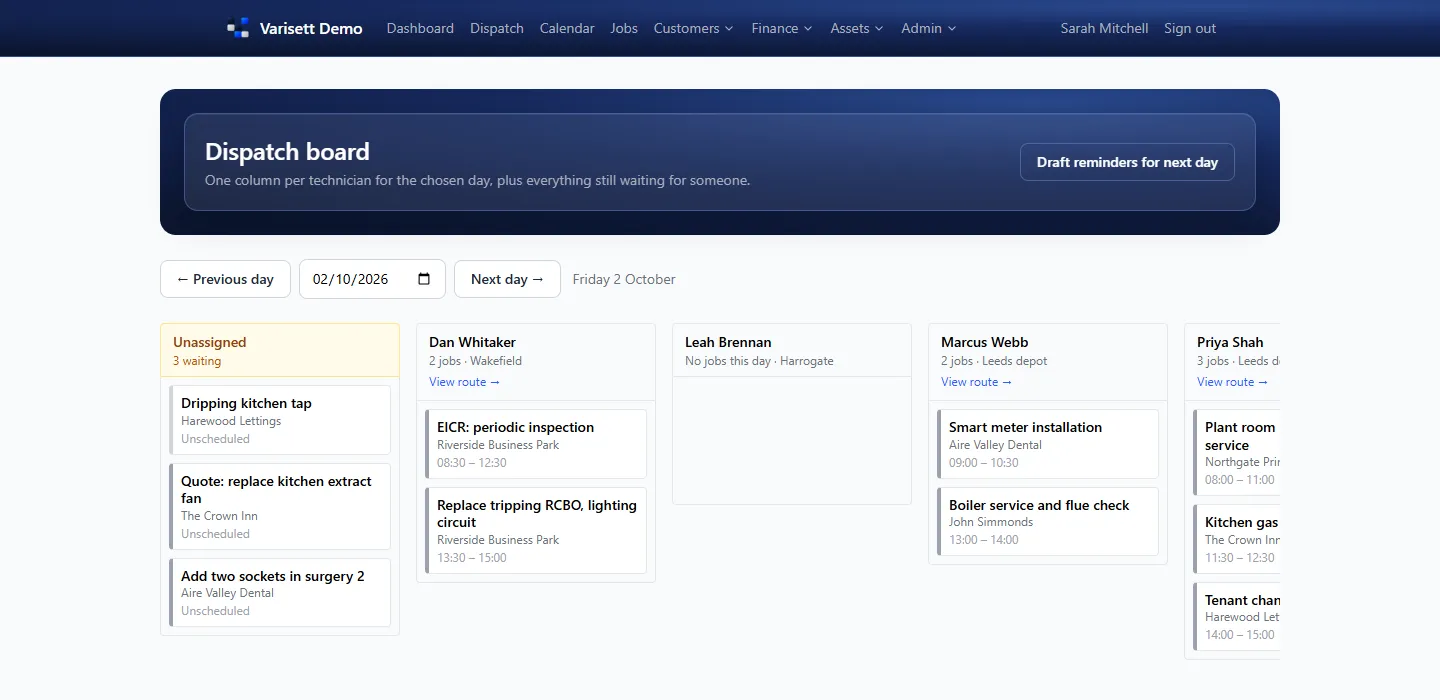
| Platform | Tour |
|---|---|
| Varisett LMS | varisett.com/lms, plus a live demo you can click around |
| Varisett FSM | varisett.com/fsm |
| Varisett Bookings | varisett.com/bookings |
| Varisett Staffing | varisett.com/staffing |
| Varisett Warehouse | varisett.com/warehouse |
Guides for every role
The help centre at varisett.com/help has 22 guides. Each platform starts with the director's set-up, in the order that works best, then a guide for each role: what they see, and how they do their work, step by step, with screens. Engineers, practitioners, agency workers and scanner operatives each have their own.
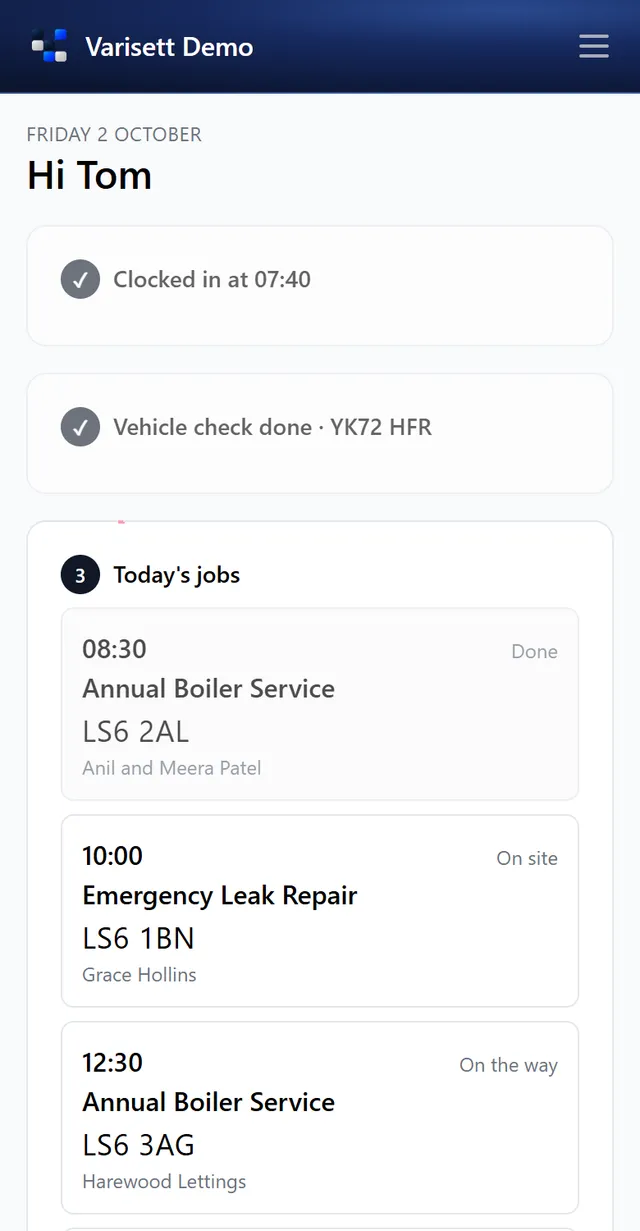
Read them before you order to see exactly how the platform would fit your business, or share them with your team when you start.
Practical guides, too
At varisett.com/guides we're writing practical guides for the people who run service businesses, useful whatever system you use: building a care training matrix, stopping certificates expiring unnoticed, agency timesheets, appointment no-shows and more.