Help · Varisett Bookings · Manager

Running your sites (managers)

Services, rota, leave, attendance and monthly reports for the sites you run.

Rota and leave

  1. Staff → Rota: shifts per person per site, a week or a month at a time.
  2. Staff → Leave: approve or decline requests. Approved leave shows on the rota and blocks bookings. Reception see that someone is off, not why.
  3. Record leave for someone yourself (holiday, sickness, training).
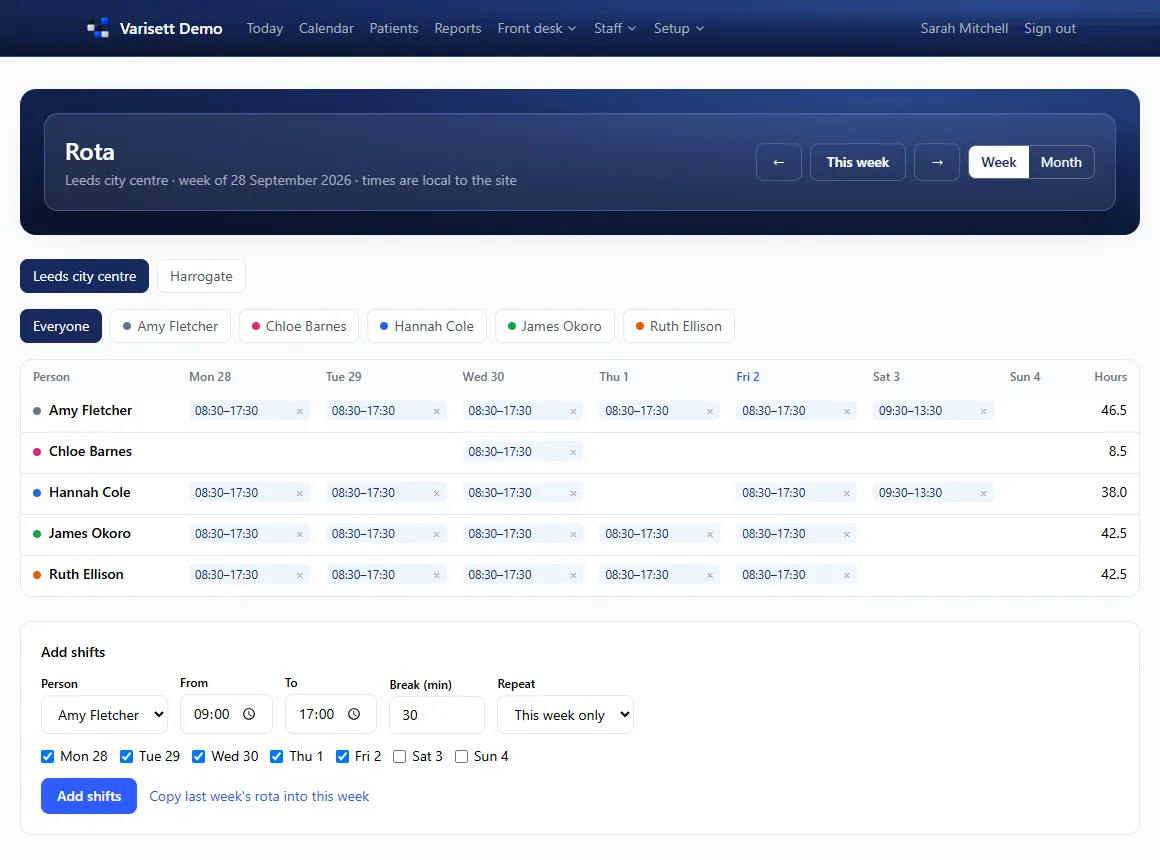
Rota: Shifts per person per site for the week, with hours, and a quick way to add or copy a week.
Rota. Shifts per person per site for the week, with hours, and a quick way to add or copy a week.

Attendance

Staff → Attendance compares rostered hours with clocked hours for each person, week by week.

Monthly reports

Reports shows a month at a time, for all sites or one: billed, taken and still owed; by service, by person, by payment method and by site; appointments with no-shows; and each person's rostered, worked and booked hours. Download any of it as a spreadsheet.
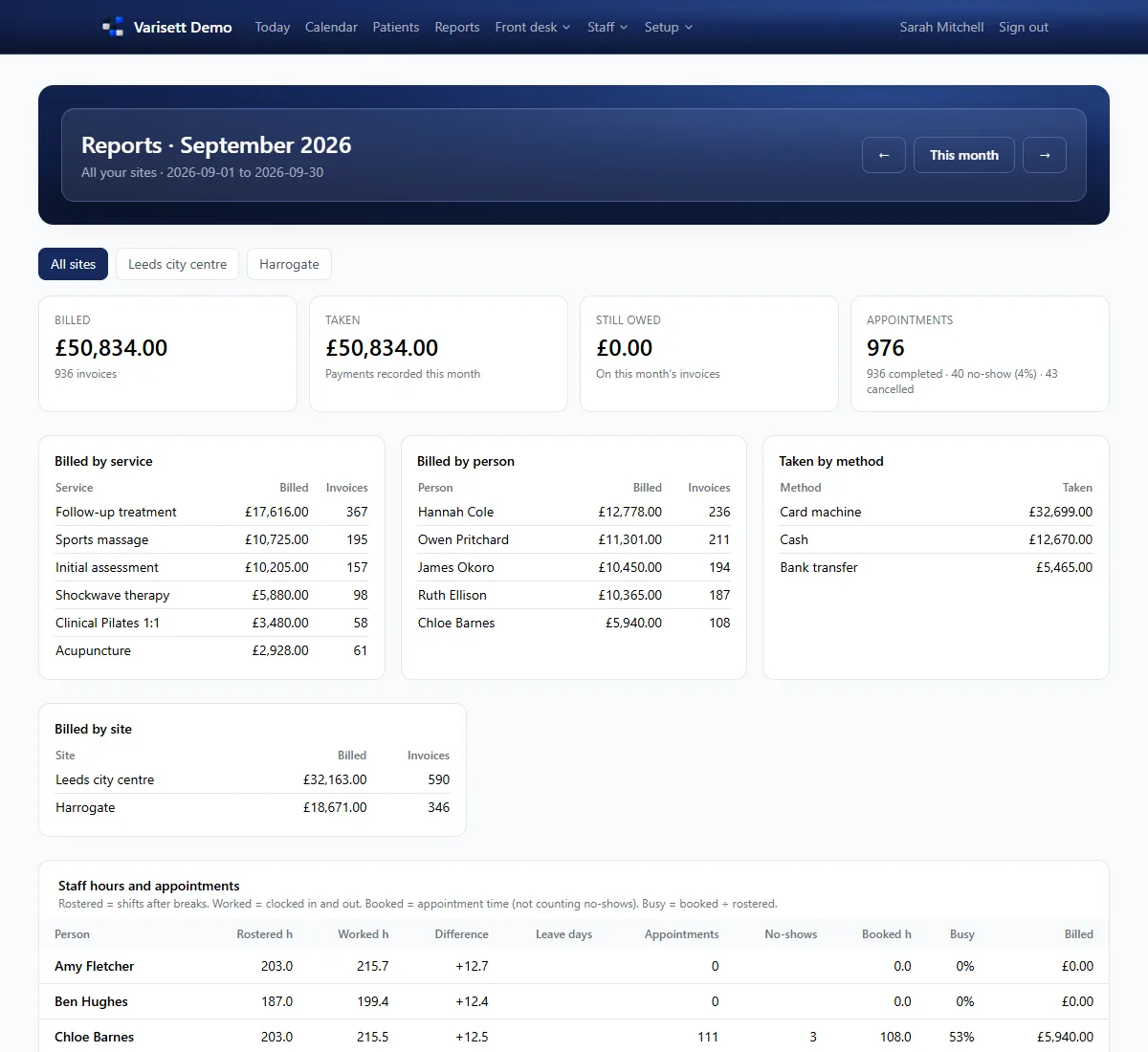
Monthly reports: Billed, taken and owed; by service, person, method and site; plus rostered against worked hours and how busy each person was.
Monthly reports. Billed, taken and owed; by service, person, method and site; plus rostered against worked hours and how busy each person was.

Services and messages

Setup → Services and Setup → Messages are yours to keep up to date: prices, lengths, deposits, and the wording of confirmations and reminders.

Screens show the real Varisett Bookings with made-up example data. Your own system carries your name, logo and colour.

More Varisett Bookings guides
DirectorGetting started as the directorSet up Varisett Bookings: your type of business, sites and opening hours, rooms, services, staff, logins, payments and messages.Reception and financeFront desk: booking, check-in and paymentBook appointments that can't clash, check clients in and out, take deposits and payment, and keep the waiting list.Practitioner and any staff memberYour diary and shifts (practitioners)Sign in on your phone, clock in, see your appointments and shifts, and ask for leave.
Varisett Bookings

Your own Varisett Bookings, on your own address

Every feature on every plan, priced by team size. Live shortly after you order.

See plans & orderBook a call