Sign in
Open the staff sign-in address on a handheld scanner or an Android phone and enter your Staff ID and PIN. The scanner menu shows only the tasks your role allows.
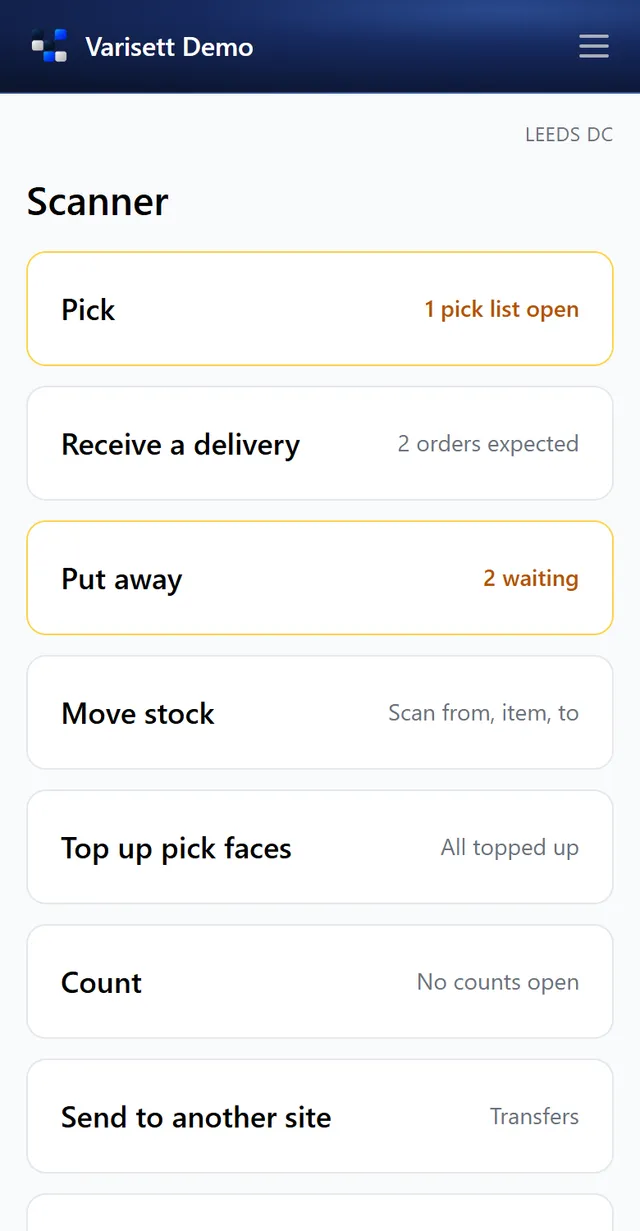
Receive a delivery
- Receive a delivery → choose the purchase order (or record an unexpected one).
- Scan each item, enter the quantity, and the batch and expiry date or serial number where the item needs them.
- Anything damaged or to be checked goes on hold into quarantine.
Put away
Put away lists what's in goods in, with a suggested location from your rule. Scan the stock, then the location.
Pick
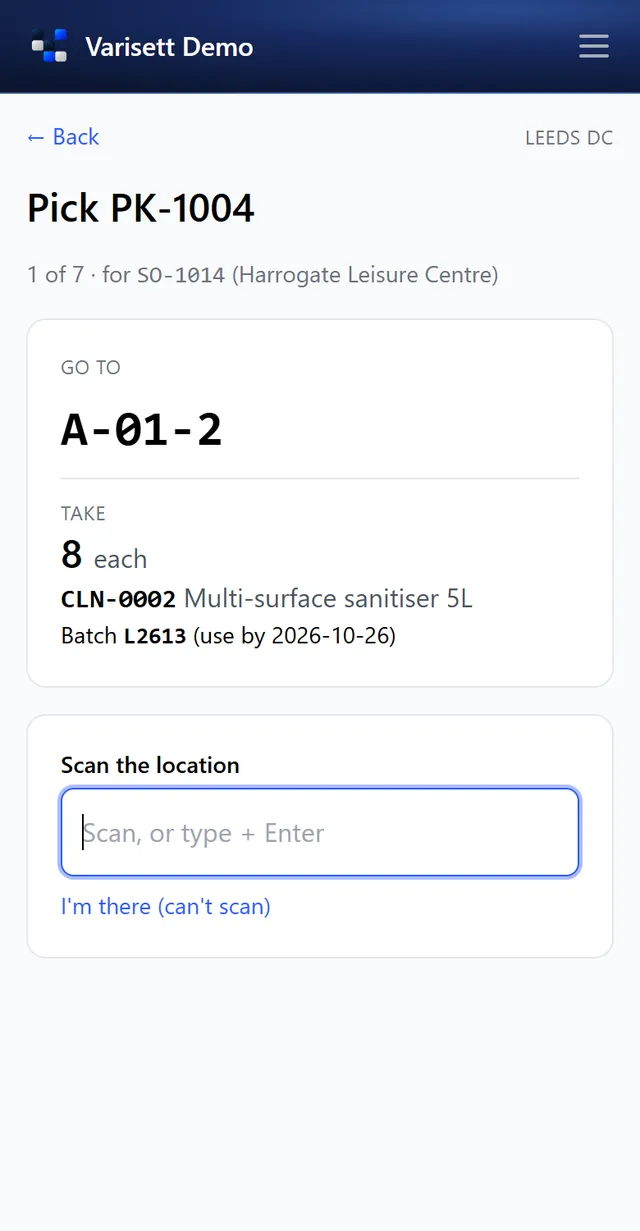
- Pick → open your pick list. Lines come in walk order.
- Go to the location shown and scan it (or tap "I'm there" if a label won't scan).
- Take the quantity of the batch shown; it's the one the allocation rule chose, such as the earliest use-by.
- Drop everything at the dispatch location when the list is done.
Move, top up and count
Move stock between locations; Top up pick faces from bulk when they run low; Count the locations you're given (blind if your manager chose, so you don't see the expected figure). Adjustments over the set limits wait for a manager's approval.
Screens show the real Varisett Warehouse with made-up example data. Your own system carries your name, logo and colour.