Varisett Bookings is available to order today at varisett.com/bookings. It runs the day of a business whose customers come to it (clinics, salons, garages, groomers, studios and repair counters): the diary, taking payment, reminders, and the staff rota behind it, in one system.
Like every Varisett platform, each business gets its own branded system on its own web address, with its own dedicated database. It's ordered online and set up automatically, usually within minutes. Every site is included on every plan.
A diary that only offers times that work
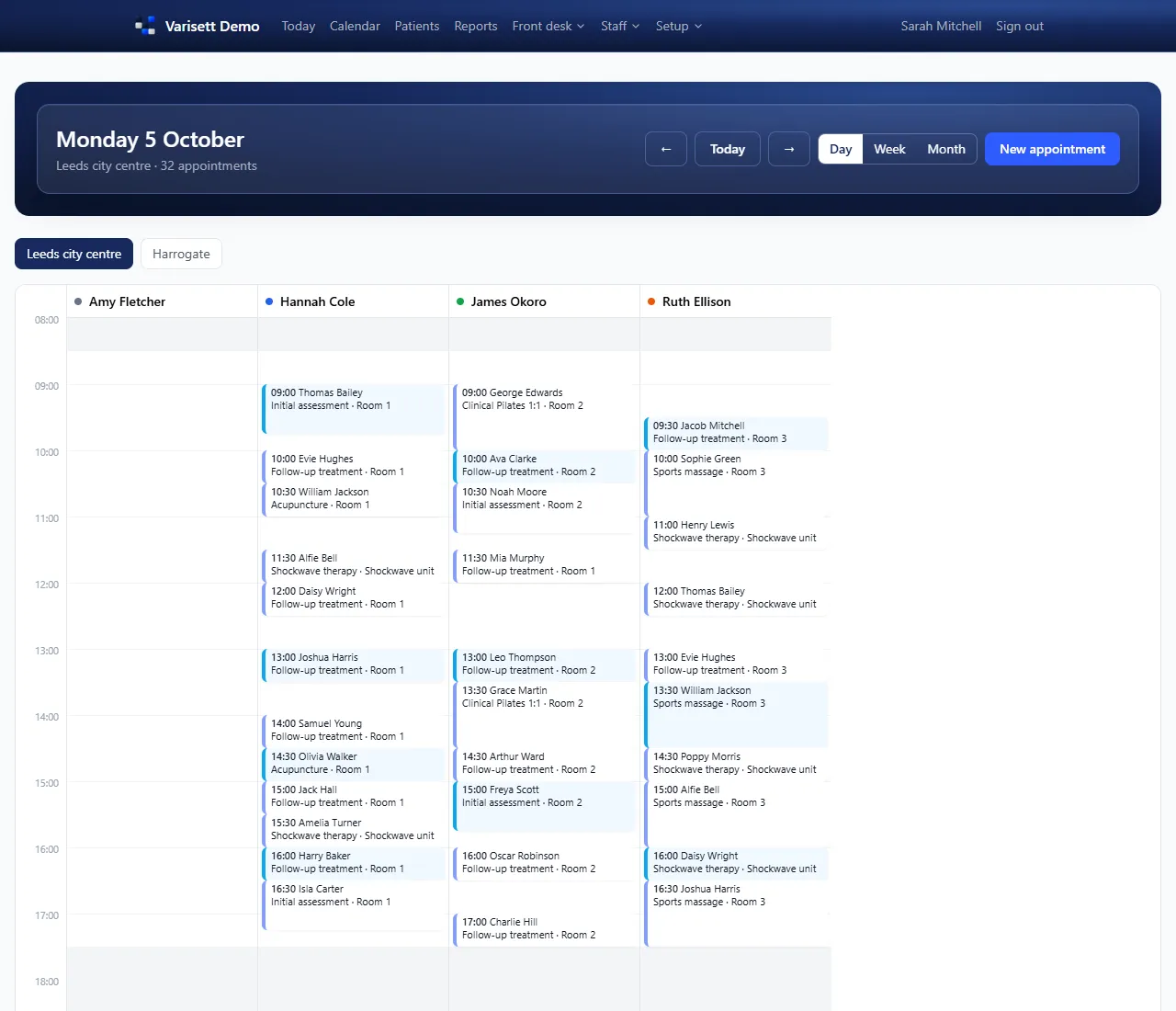
- Day, week and month views. The day view has a column per person; the week view lays the days side by side, with overlapping bookings next to each other; the month view shows bookings, closed days and approved leave. Filter any view to one person.
- Only real free times. When you book, the diary offers only times when the right person is on the rota, has the skill the service needs, isn't on leave, and has a free room of the right type. The database itself refuses a double booking.
- Services set up your way. Each service has its length, clean-up time, price per site, the skill it needs and the room type it needs.
- Every step of the visit. Booked, confirmed, arrived, in progress, completed, no-show or cancelled. Move an appointment and add notes as you go.
- A waiting list. Keep a list of clients who want an earlier slot.
Built for more than one site from day one
Each site has its own opening hours, closed days, rooms and time zone. Staff can work across several sites, and managers see only the sites they run.
Clients, and what they bring
Keep client records along with what they bring with them: pets, vehicles or devices, depending on your business. Choose your own words, such as patients, clients, members or customers.
Taking payment
- Deposits at booking. Set a deposit per service. It's requested automatically when the appointment is booked, and voided if the appointment is cancelled before it's paid.
- Invoices at checkout. Invoice from the appointment, with the deposit already taken off, and add extra items such as products sold.
- Payments by any method. Record card machine, cash, bank transfer or other payments. Totals and balances are always worked out for you.
- A link to pay. Each invoice has its own page for the client, showing your bank details or payment link. Connect your own Stripe account and they can pay by card there. Varisett never handles the money.
Reminders that go out on their own
Confirmations, reminders and cancellation notices go out automatically by email from your own mailbox, and by text from your own Twilio account if you switch it on (Twilio charges for texts). Choose when reminders go (from 2 to 72 hours before) and edit the wording. If an appointment is moved or cancelled, clients never get an out-of-date reminder. Step-by-step setup guides are built in.
The staff side
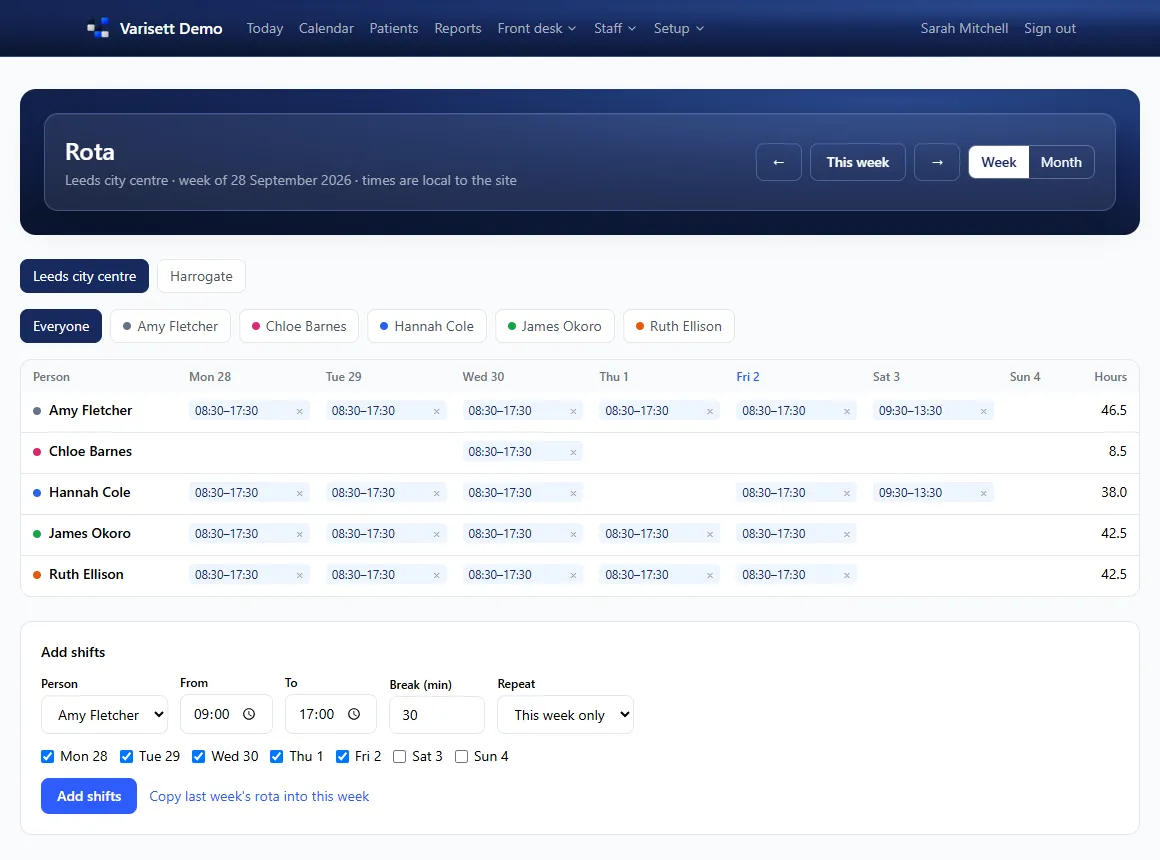
- The rota. A weekly rota per site, plus a month view showing who's on each day, their hours for the month, and a warning on any day with nobody on.
- Leave. Staff request leave and managers approve it. Reception can see who's off in the month view.
- Clocking in and out. Staff clock in and out, and managers compare rostered hours with hours worked.
- Signing in on a phone. Staff sign in with a Staff ID and PIN, so they don't need an email address.
- Your job titles. Everyone has one or more of four access levels (manager, reception, practitioner and finance), and you can rename them to fit your business, such as Stylist or Practice manager.
Monthly reports
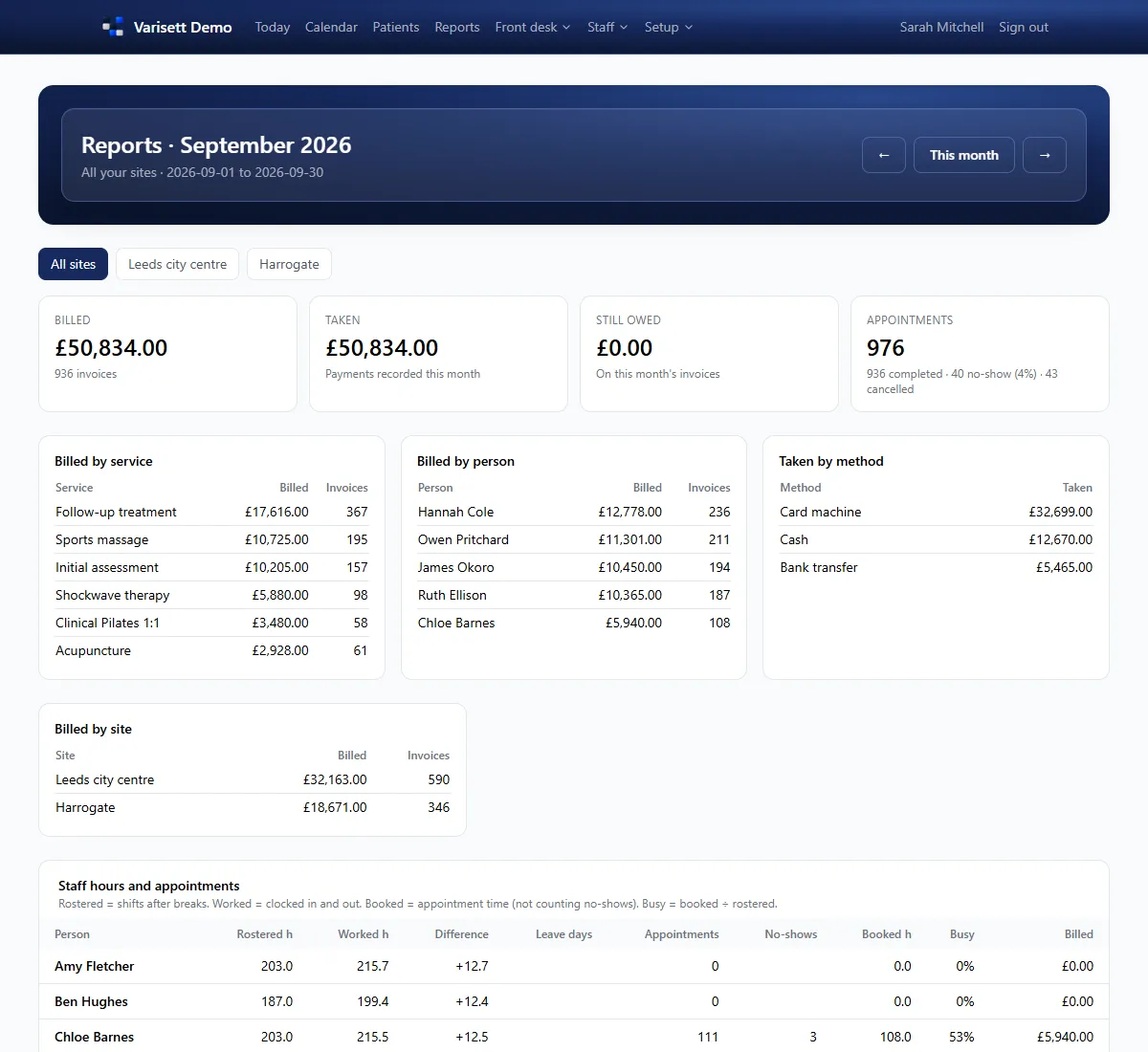
For each site or all sites together: what was billed, what was taken by each payment method, and what's still owed; appointments completed, no-shows and cancellations; and for managers, each person's rostered, worked and booked hours, leave, how busy they were and what they billed. Download invoices, payments and staff hours as spreadsheets.
Good to know
Bookings are made by your team, at the desk or by phone, so every one is checked against the rota and rooms. Varisett Bookings doesn't do stock control or keep clinical records. If you also run Varisett LMS, Bookings sits at the same web address with the same sign-in details.
See how it works
Step-by-step guides for the director, managers, reception and practitioners are at varisett.com/help/bookings.
Pricing
Priced by team size, with every feature and every site on every plan: Solo, up to 3 users, £39 a month; Team, up to 10 users, £99; Business, up to 25 users, £179; and Scale, up to 100 users, £349. Pay annually and get 2 months free. See the plans and order at varisett.com/bookings.