1. Business settings
- Setup → Business settings.
- What you call your workers, and whether people can register with you from your own page.
- Clock-in rules: how far from the site counts as on site, and whether further away needs your OK or is just flagged.
- Timesheet rules: rounding (e.g. to 15 minutes, in the worker's favour), breaks by shift length, the late grace period, and how long clients have to approve before you can approve on their behalf.
- Your brand (name, logo, colour) is set once and used across every Varisett platform you have.
- Recommended: turn on two-step sign-in. On Your account, press Set up two-step sign-in and scan the code with an authenticator app on your phone (Google Authenticator, Microsoft Authenticator or similar). After that, signing in asks for the 6-digit code from the app as well as your password, so a stolen password isn't enough.
2. Pay and invoice settings
- Setup → Pay and invoice settings.
- Your pay cycle: weekly, fortnightly, every four weeks or monthly, the day it starts and when people are paid.
- Holiday pay: rolled up (12.07%) or accrued.
- Your company details, VAT, invoice numbering and bank details.
3. Job roles, terms and documents
- Setup → Job roles: the work you supply (warehouse operative, forklift driver, event server).
- Setup → Terms for workers and Terms for clients: publish your terms. Each publish is a new version, and acceptances record which version.
- Setup → Document types: which documents everyone needs (right to work and photo ID by default) and which are role-specific (a forklift licence, a food hygiene certificate), with expiry dates where they lapse. Also use Varisett LMS? A qualification can count from an LMS certificate: workers who hold it there have it here as approved, marked "From the LMS".
4. Office logins
Setup → Team logins: invite your consultants, compliance team and finance by email, with their roles. One person can have several.
Using more than one Varisett platform? When you invite someone, tick "Also give them access to" for the others in the same step. When someone leaves, press "Has left the business" next to their name: their sign-in stops on every platform at once, their records stay, and you can undo it.
5. Your first client
- Clients → add one, with their payment terms, how often you invoice them and the minimum paid hours per shift.
- Also use another Varisett platform (FSM, Bookings or Warehouse)? Its customers are listed under your clients, to add with one click, and a client's page suggests any with the same email or phone to link. Linked, their billing email and phone stay the same on both.
- Also use Varisett Marketing? An enquiry its inbox passes on to you shows at the top of the Clients page under "Passed to you", with their note: add them with one click (or open the one you already have) and take it from there.
- Add their sites by postcode. Each gets a map point for clock-in.
- Add a rate card for each role: pay and charge rates, with night, weekend, overtime, bank holiday and umbrella rates.
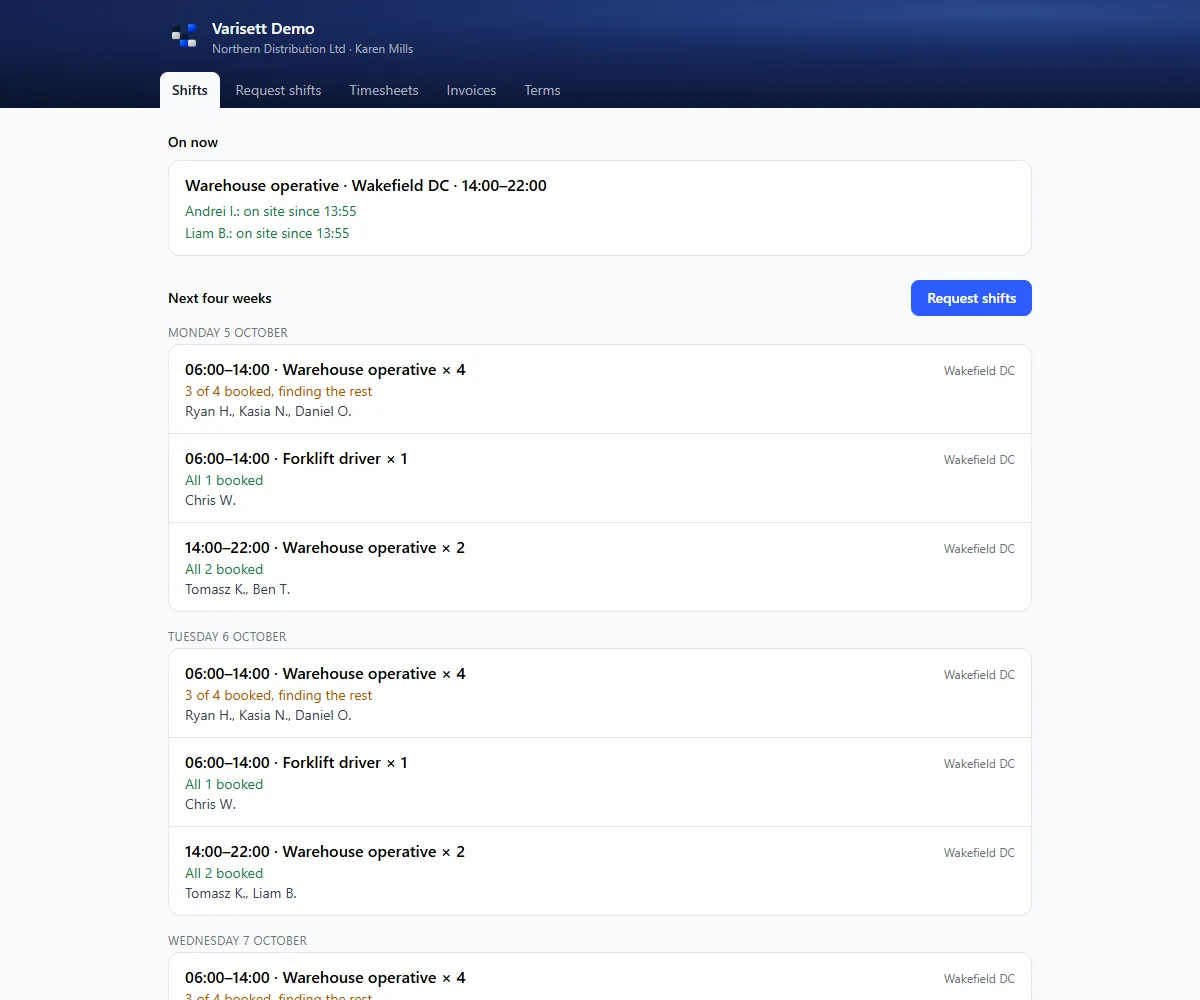
- Add a contact who approves timesheets, and send them their portal link.
What's waiting for you
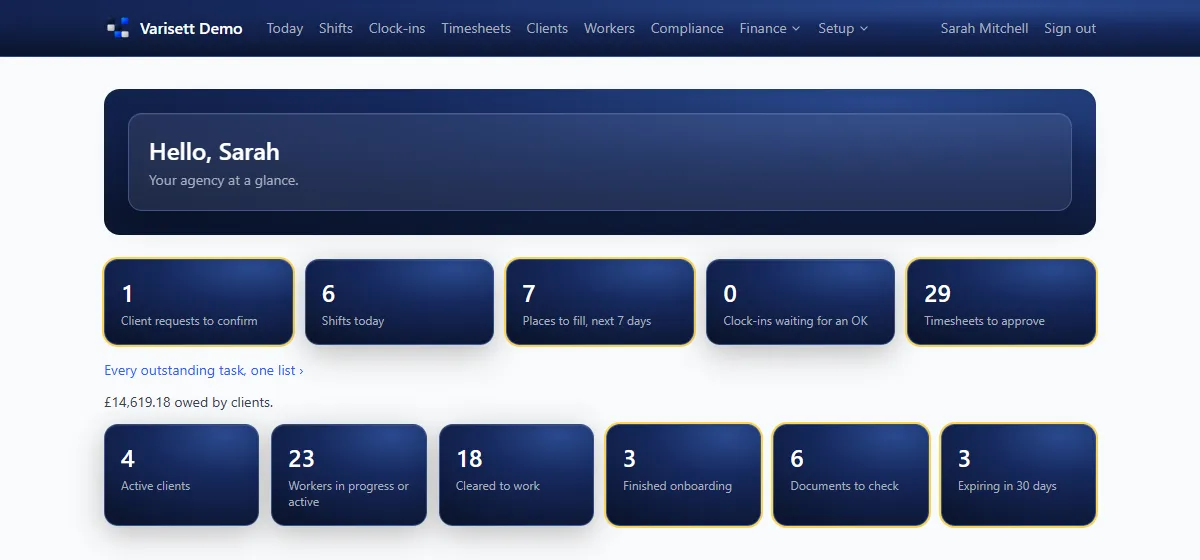
Today shows client requests to confirm, places still to fill, clock-ins waiting for an OK, timesheets to approve, documents to check and anything expiring. Money → Reports → Outstanding tasks lists every one.
Screens show the real Varisett Staffing with made-up example data. Your own system carries your name, logo and colour.