Help · Varisett Staffing · Finance

Timesheets, pay and invoices (finance)

Approve timesheets, make the week's pay run and pay files, and invoice clients.

Timesheets

Timesheets shows each booking's clock times against the paid times after rounding and breaks, and who approved them: the client from their portal, or your office. Adjust times with a note, or answer a client's query. Once a client's approval deadline passes you can approve what's left on their behalf.
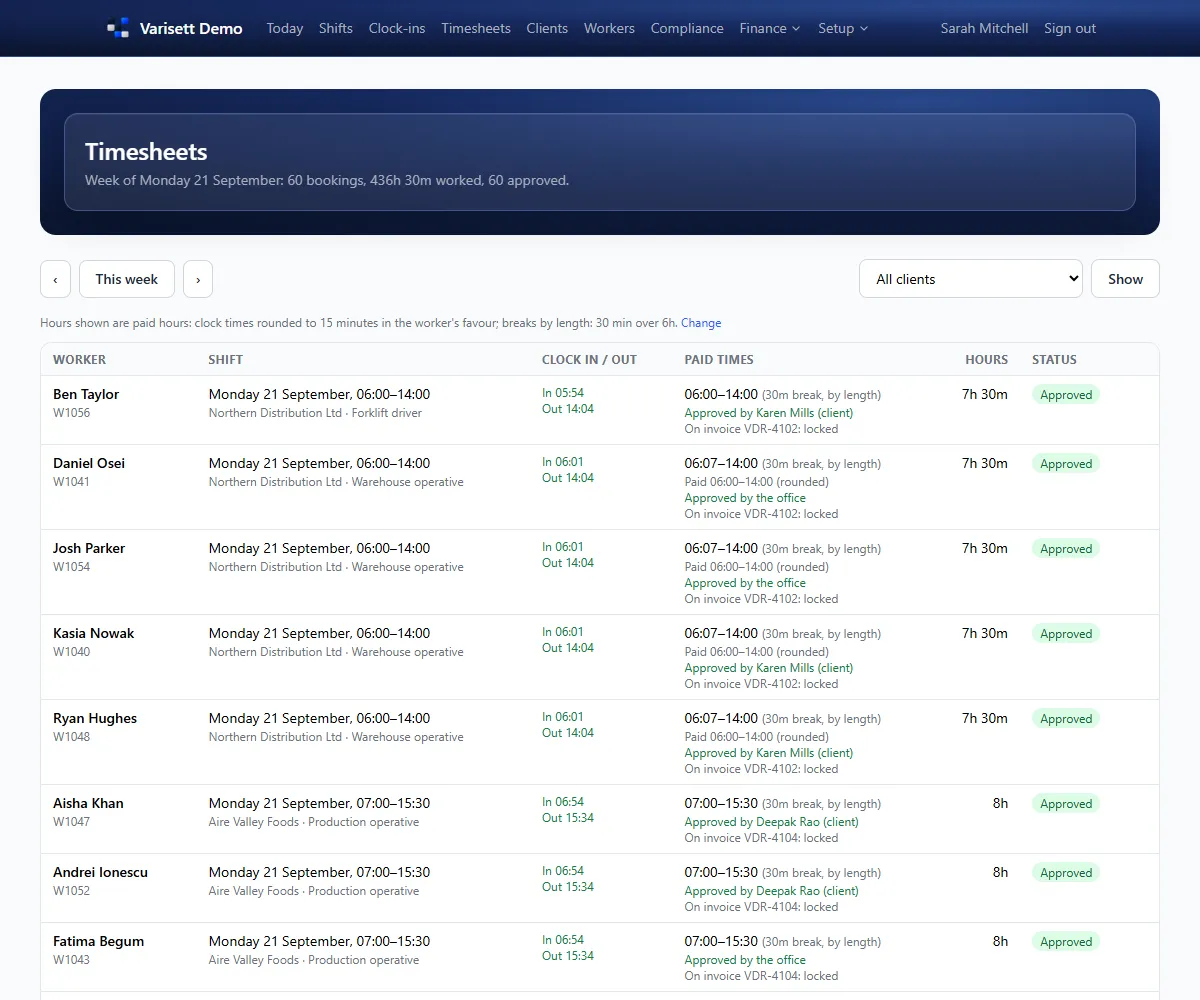
Timesheets: Clock times against paid times, with rounding and breaks applied, and who approved them.
Timesheets. Clock times against paid times, with rounding and breaks applied, and who approved them.

A pay run

  1. Money → Pay runs: choose the period (it follows your pay cycle).
  2. Check the warnings: missing rates, missing bank details, pay below the minimum wage.
  3. Each worker's hours are split into standard, night, weekend, overtime and bank holiday at their rates, with holiday pay.
  4. Download the files for your payroll: PAYE pay elements, a schedule for each umbrella company, worker totals and PAYE worker details.
  5. Finalise it. Its timesheets are then locked.

Good to know: Your payroll pays people and reports to HMRC as it does today. Varisett makes the files; it doesn't move money.
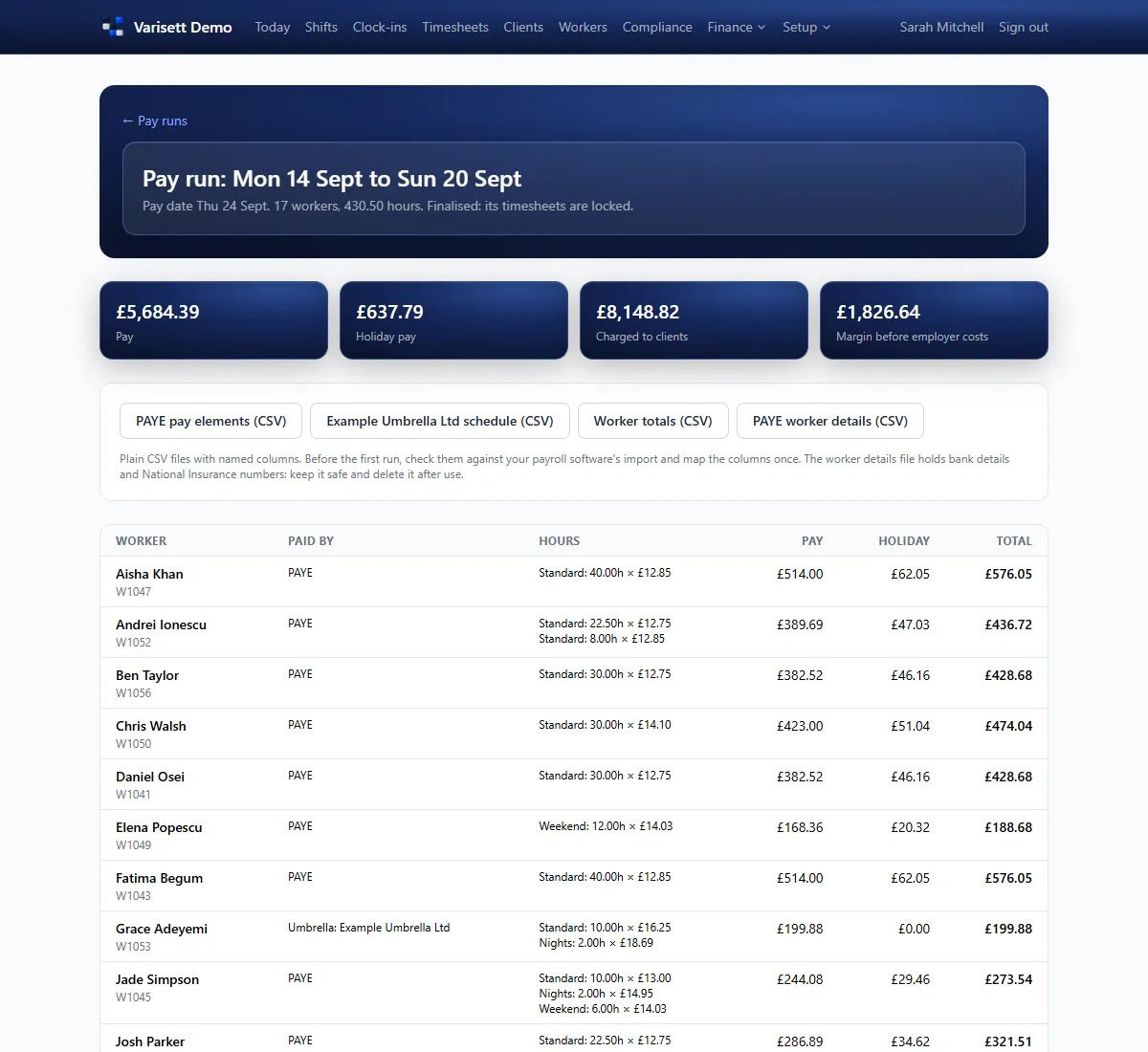
A pay run: Pay, holiday pay, charges and margin for the week, with files for your payroll and each umbrella company.
A pay run. Pay, holiday pay, charges and margin for the week, with files for your payroll and each umbrella company.

Invoices

  1. Money → Invoices: choose the period, and invoices are made from approved timesheets for each client, at their frequency.
  2. Using more than one Varisett platform? Directors, managers and finance see what's owed on each of them at the top of Invoices, with a download of every invoice as one spreadsheet; and a client's page shows their statement across every platform they buy from.
  3. Each client's own way: split by site, PO number or week, with a line per worker, per role or per shift, and VAT.
  4. Issue them (they show in the client's portal), then record payments as they arrive.
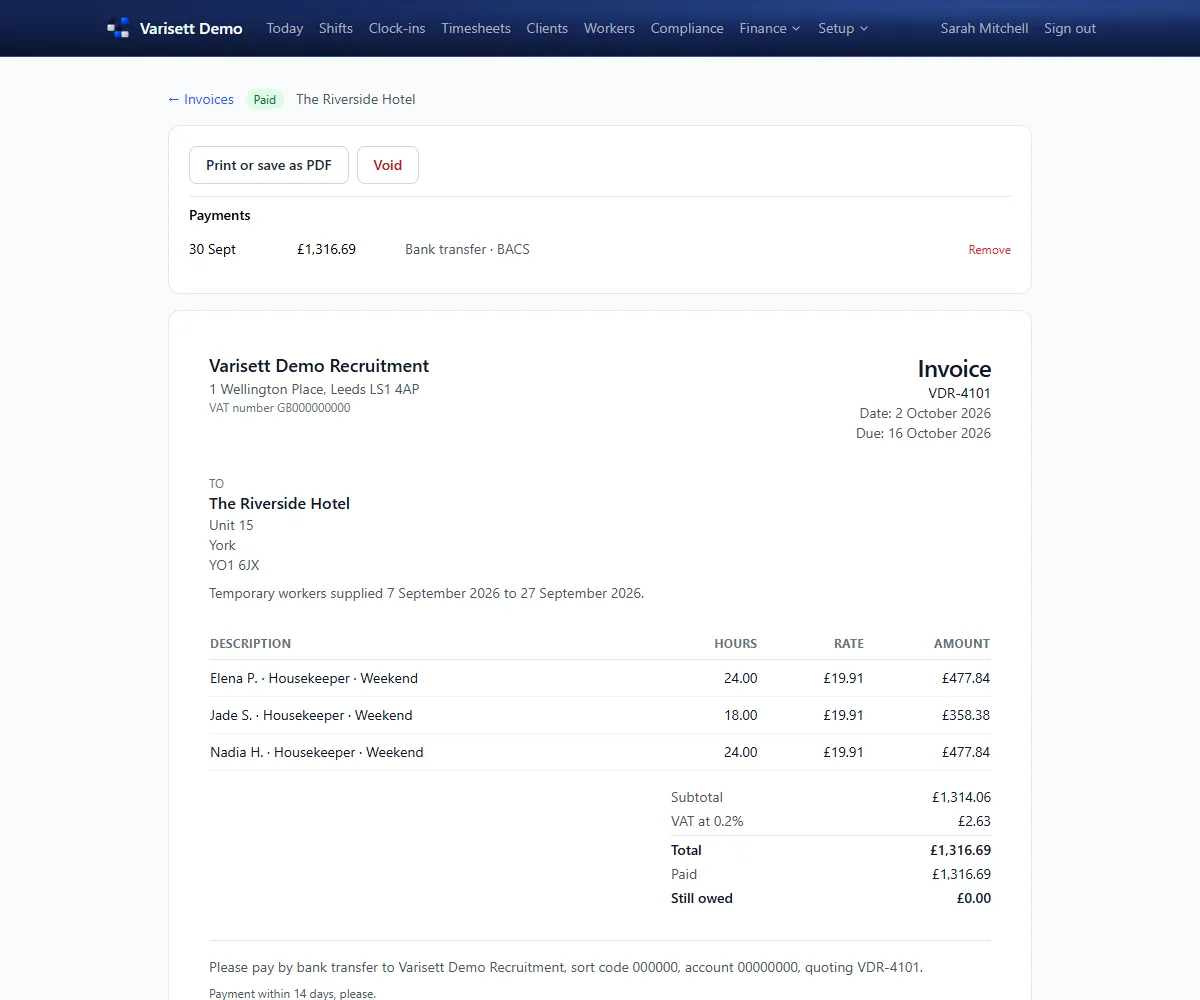
An invoice: Each client's invoice built from approved timesheets, with VAT and payments recorded.
An invoice. Each client's invoice built from approved timesheets, with VAT and payments recorded.

Reports

Money → Reports: outstanding tasks, margin by client, hours and pay by worker, holiday, 12-week pay parity and umbrella company checks, for any period, with spreadsheet downloads.
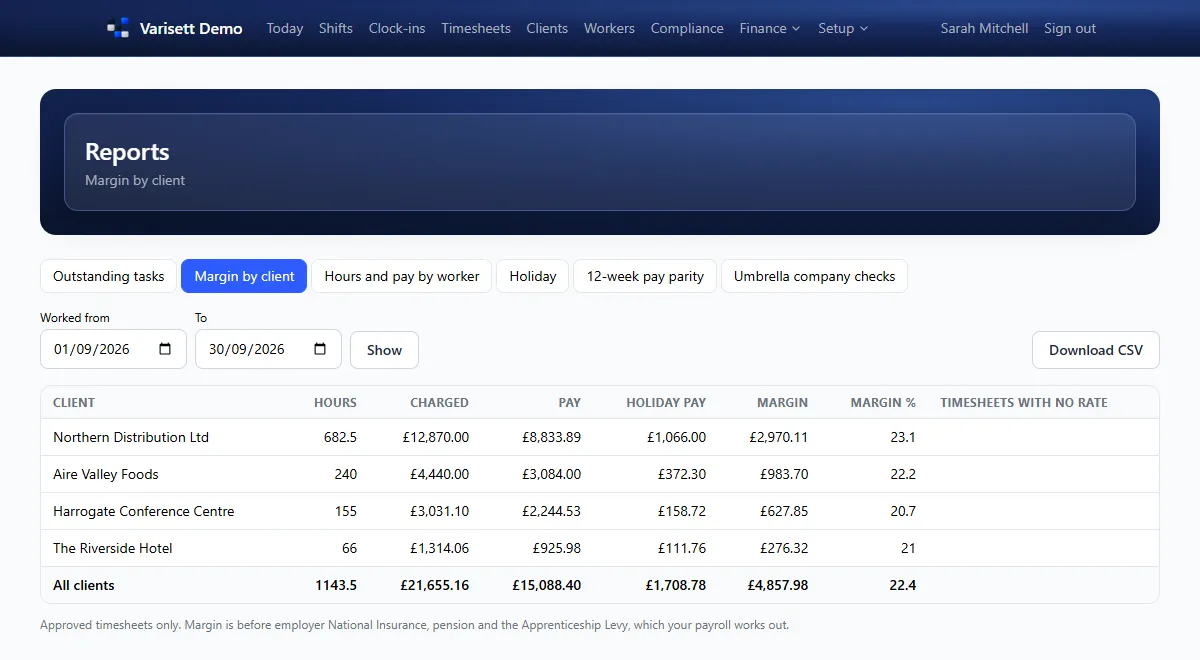
Margin by client: Hours, charges, pay, holiday pay and margin for each client over any period.
Margin by client. Hours, charges, pay, holiday pay and margin for each client over any period.

Screens show the real Varisett Staffing with made-up example data. Your own system carries your name, logo and colour.

More Varisett Staffing guides
Director and managerGetting started as the directorSet up Varisett Staffing: your pay cycle and timesheet rules, invoicing, job roles, terms, document types, office logins and your first client.Consultant and managerFilling shifts (consultants)Put shifts up, offer them to the right workers, and keep clients' bookings filled.Compliance and managerClearing workers to work (compliance)Check the documents workers upload, clear them to work, and keep ahead of expiries.WorkersThe worker's appHow workers sign up, onboard, take shifts and clock in on their phone.Your clientsThe client portalWhat client contacts can do from their private link: request shifts, see who's coming, approve timesheets and see invoices.
Varisett Staffing

Your own Varisett Staffing, on your own address

Every feature on every plan, priced by team size. Live shortly after you order.

See plans & orderBook a call